


Is the Amazon Fire 7 Kids tablet just a cheap screen, or is it the best value for parents seeking peace of mind? We tested the durability, content, and controls to find out.
If you are a parent, you know the specific anxiety of handing a $500 iPad to a 3-year-old. It’s a recipe for cracked screens and unauthorized purchases. Enter the Amazon Fire 7 Kids Tablet, a device built explicitly to solve this problem.
It isn’t the fastest tablet on the market, and the screen won’t win any awards. But for under $110 (often on sale for much less), it offers something premium tablets can’t: invincibility. With a massive foam case, a “no questions asked” replacement guarantee, and a year of curated content, this bundle is designed to be the perfect entry point for young digital natives.
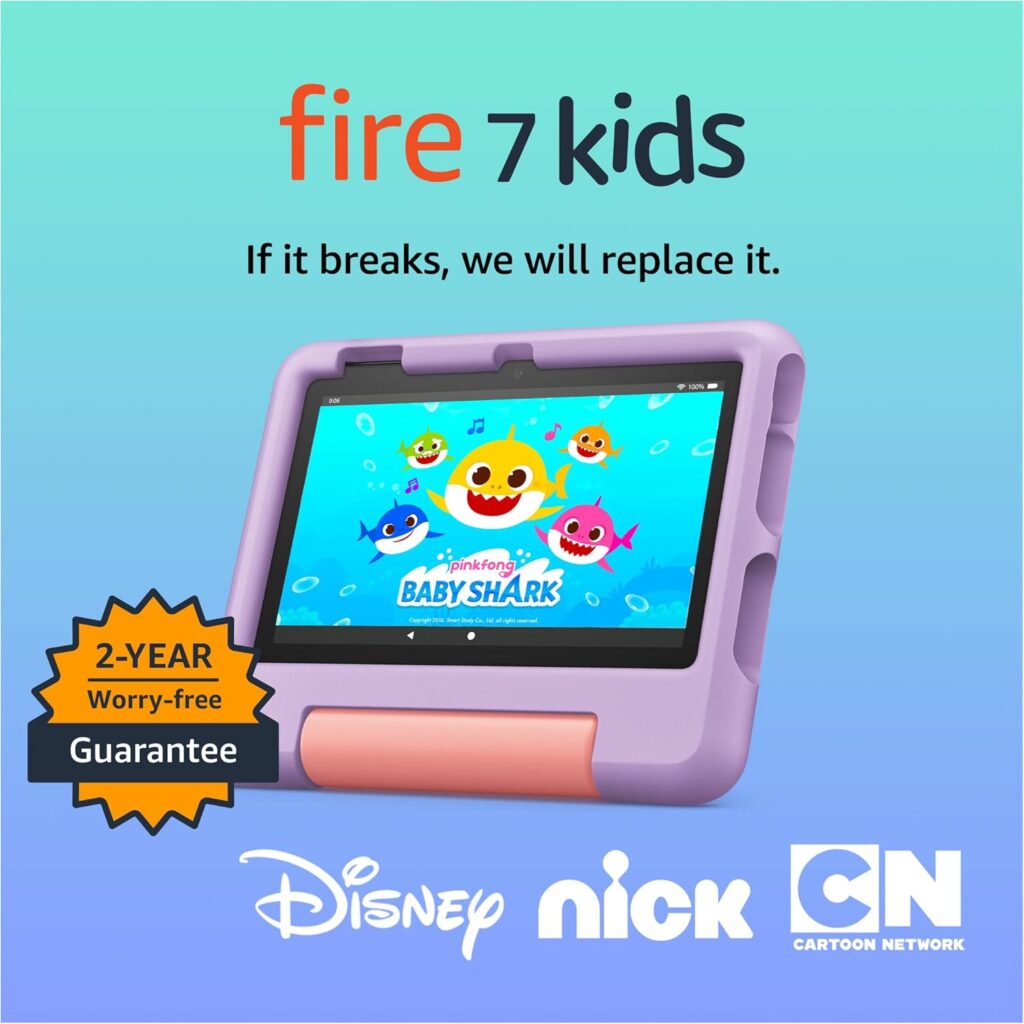
Top-selling 7″ kids tablet on Amazon.
In this review, we’ll break down whether the Fire 7 Kids is the right choice for your family or if you should spring for the pricier models.
Quick Verdict: Should You Buy It?
Best For: Toddlers and preschoolers (ages 3–6), first-time tablet users, and travel.
Skip If: Your child is 7+ years old, plays graphics-heavy games (like Roblox), or is used to high-resolution iPad screens.
The “Cheat Sheet” Summary:
- ✅ Pros: Virtually indestructible case, excellent 2-year warranty, valuable 1-year Amazon Kids+ subscription included, USB-C charging, unbeatable price.
- ❌ Cons: Low-resolution screen (text can be fuzzy), slow charging (takes ~4 hours), sluggish performance with too many apps open, mono speaker.
The “Worry-Free” Bundle: What You Actually Get
When you buy the Fire 7 Kids, you aren’t just buying hardware; you are buying a service ecosystem. Amazon markets this as a bundle that saves you up to $70 compared to buying the items separately. Here is the breakdown:
1. The Hardware (Fire 7 Tablet)
This is the 2022 release of the Fire 7. It features a Quad-core 2.0 GHz processor and 2GB of RAM. While these specs are modest, the upgrade to USB-C charging is a lifesaver—no more broken ports from kids trying to jam a micro-USB cable in upside down.
2. The Kid-Proof Case
This is the star of the show. The thick, foam bumper case is lightweight, easy for small hands to grip, and bounces when dropped. It also features a built-in kickstand that doubles as a handle, making it perfect for watching cartoons on an airplane tray table.
3. 2-Year Worry-Free Guarantee
This is the “killer feature” for parents. Amazon’s policy is simple: “If it breaks, return it and we’ll replace it for free.” Whether your child drops it in the toilet or throws it down the stairs, you are covered.
4. Amazon Kids+ (1 Year Included)
You get a 1-year subscription to Amazon Kids+ (formerly FreeTime Unlimited). This gives your child access to thousands of ad-free books, games, and videos from brands like Disney, PBS Kids, and Nickelodeon.
- Note: After the first year, this renews automatically at roughly $5.99/month for Prime members.
Performance & Display: Managing Expectations
Let’s be honest: this is a budget tablet.
- The Screen: The 7-inch display has a resolution of 1024 x 600. It is not “Retina” quality. Text can look a bit pixelated, and viewing angles aren’t perfect. However, for a 4-year-old watching Bluey or playing a counting game, it is perfectly adequate.
- The Speed: Navigation is generally smooth for basic tasks, but apps can take a few seconds to load. It handles 2D educational games well, but it will struggle with demanding 3D games like Minecraft or Roblox. If your child is older and into gaming, they will likely get frustrated with the lag.
- Battery Life: Amazon claims up to 10 hours. In real-world testing (looping videos at medium brightness), you can expect about 8–9 hours, which is plenty for a long road trip.
Parental Controls: The Best in the Business
If you want granular control over your child’s digital diet, Amazon’s Parent Dashboard is unmatched.
- Learn First: You can block entertainment content (games/videos) until educational goals are met (e.g., “Read for 30 minutes”).
- Time Limits: Set hard stops for bedtime or total screen time limits.
- Age Filters: The content scales with your child. You can set the filter to “Ages 3-5” to ensure they don’t see content meant for older kids.
- Web Safety: The browser is strictly curated to allow only pre-approved websites.
Comparison: Fire 7 Kids vs. Fire HD 8 Kids
Is it worth spending roughly $40–$50 more for the Fire HD 8 Kids?
| Feature | Fire 7 Kids | Fire HD 8 Kids |
| Screen Size | 7-inch (SD) | 8-inch (HD) |
| Speed | Good for basics | 30% faster |
| Audio | Mono (1 speaker) | Stereo (Dolby Atmos) |
| Storage | 16GB or 32GB | 32GB Base |
| Best For | Ages 3–6 | Ages 6–9 |
Verdict: Stick with the Fire 7 for toddlers who are rough on devices. Upgrade to the Fire HD 8 if your child is approaching school age and will appreciate the clearer screen and faster gaming performance.
Final Verdict: The Perfect “Beater” Tablet
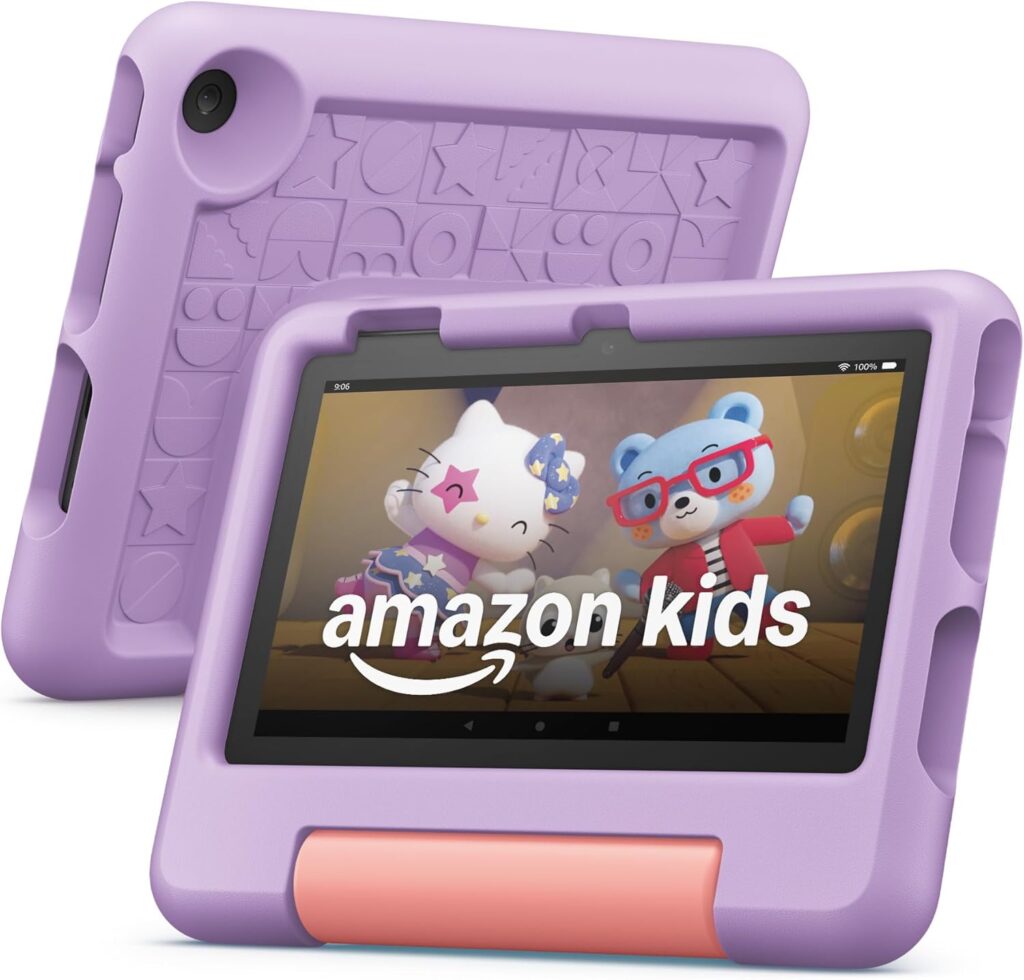
Amazon Fire 7 Kids tablet (newest model) ages 3-7.
The Amazon Fire 7 Kids Tablet is not a powerhouse, but it doesn’t try to be. It is a dedicated, safe, and durable entertainment device designed to survive the chaos of early childhood.
For the price, you are getting an unbeatable insurance policy against broken electronics and a vast library of content that requires zero effort to curate. If you want a device to keep your toddler entertained on a flight or engaged with educational apps without handing over your smartphone, this is the best money you can spend.
If you have any questions, feedback, or inquiries, please feel free to reach out to us. We’re here to help!
We look forward to hearing from you!
